Software · Backup and sync
Trasgu Sync
Your whole backup plan, drawn on one canvas. Draw the chain once and it runs every night, wakes the machines it needs, and shows you where every copy lives.
Most people’s backups are a mix of a cloud client, a NAS task, a drive plugged in on Sundays, and a hope. Trasgu Sync copies folders between your Mac, external drives, network shares, a NAS and OneDrive, and puts all of it in one place with one way to build it.
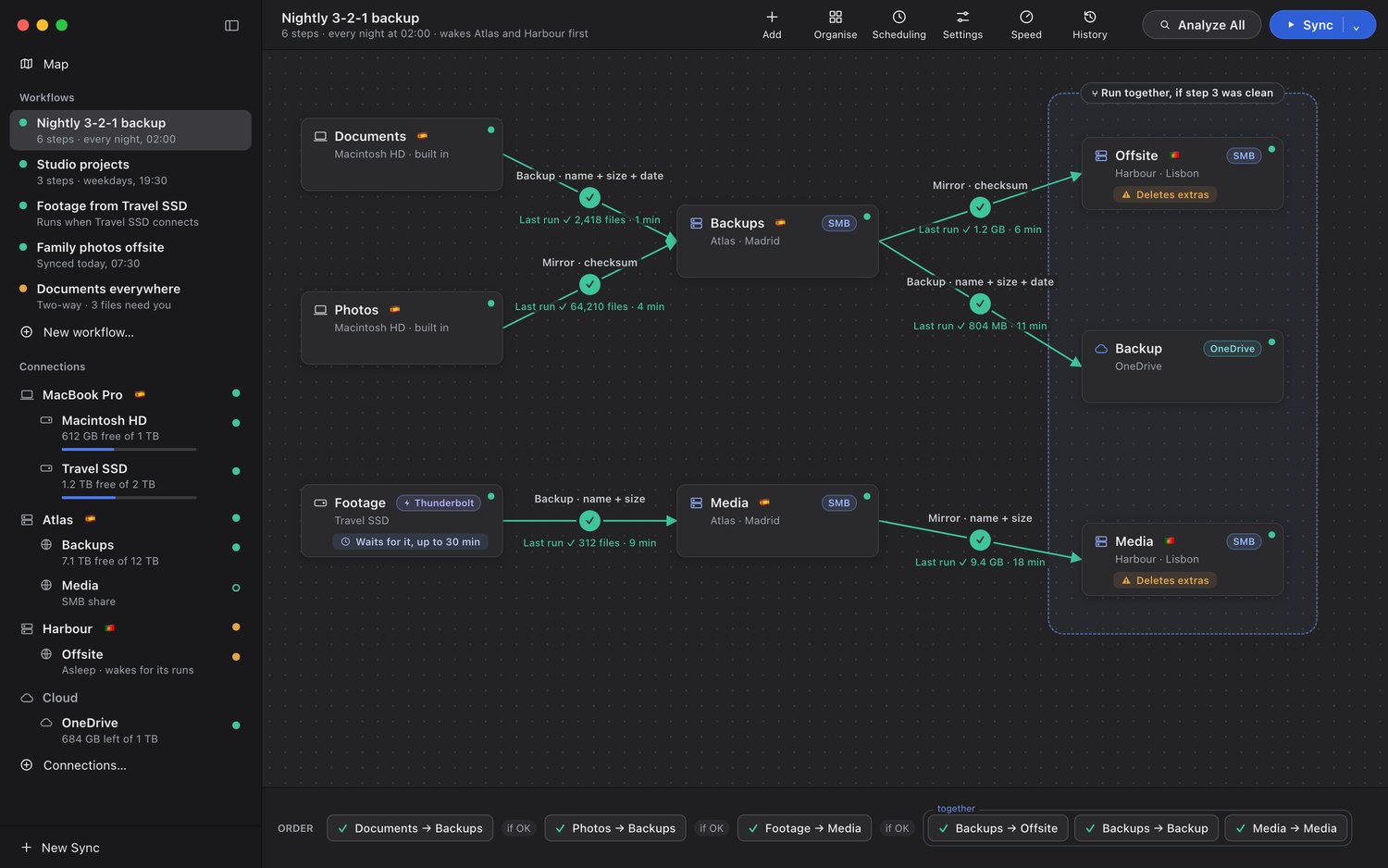
Put folders on a canvas and drag an arrow between them. Each arrow is a step: backup, mirror or two-way.
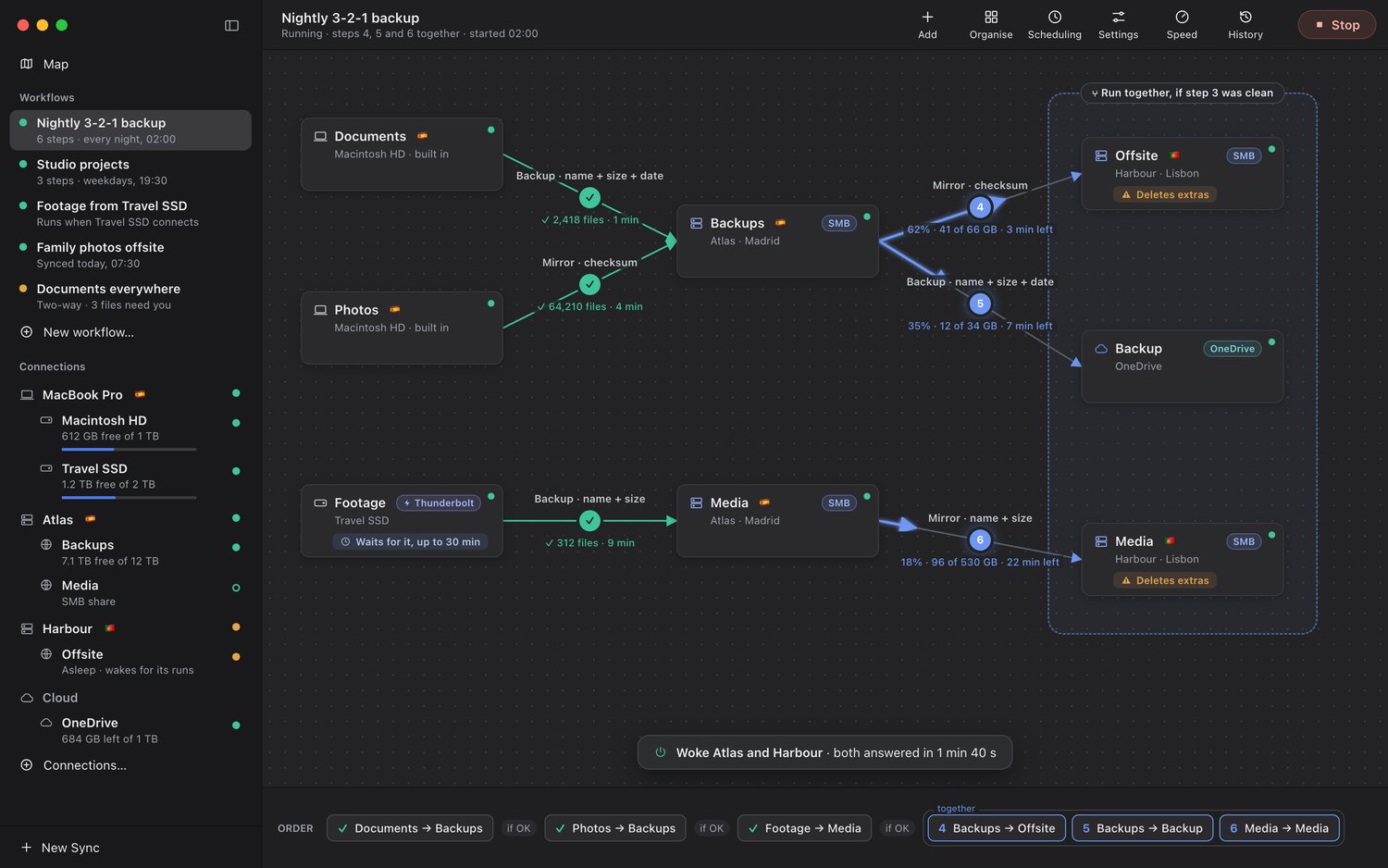
Finished steps turn green with what they copied; running steps fill from tail to head with bytes left and time remaining.
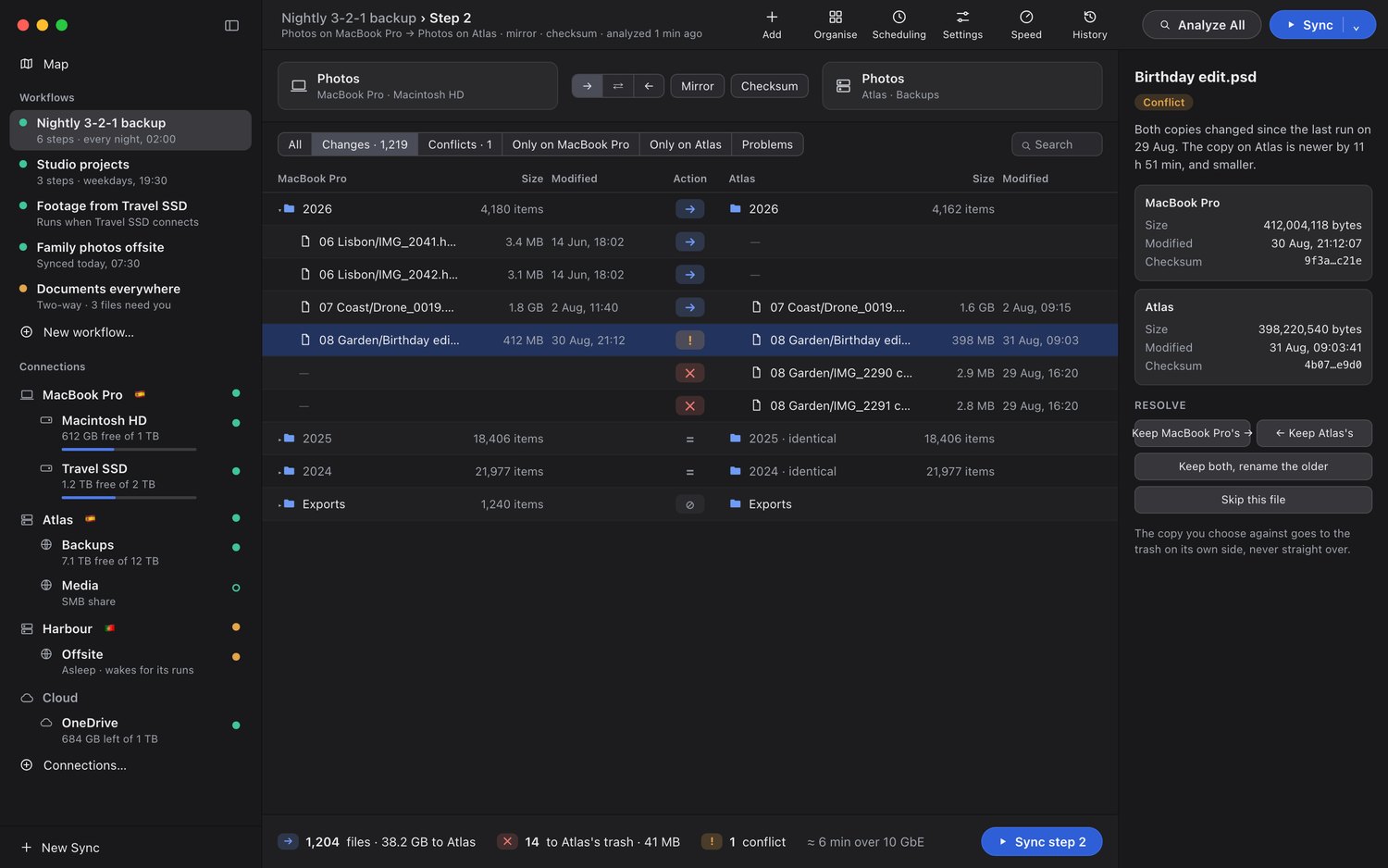
One table, both sides aligned by path, with the action in the middle and the reason in the inspector.
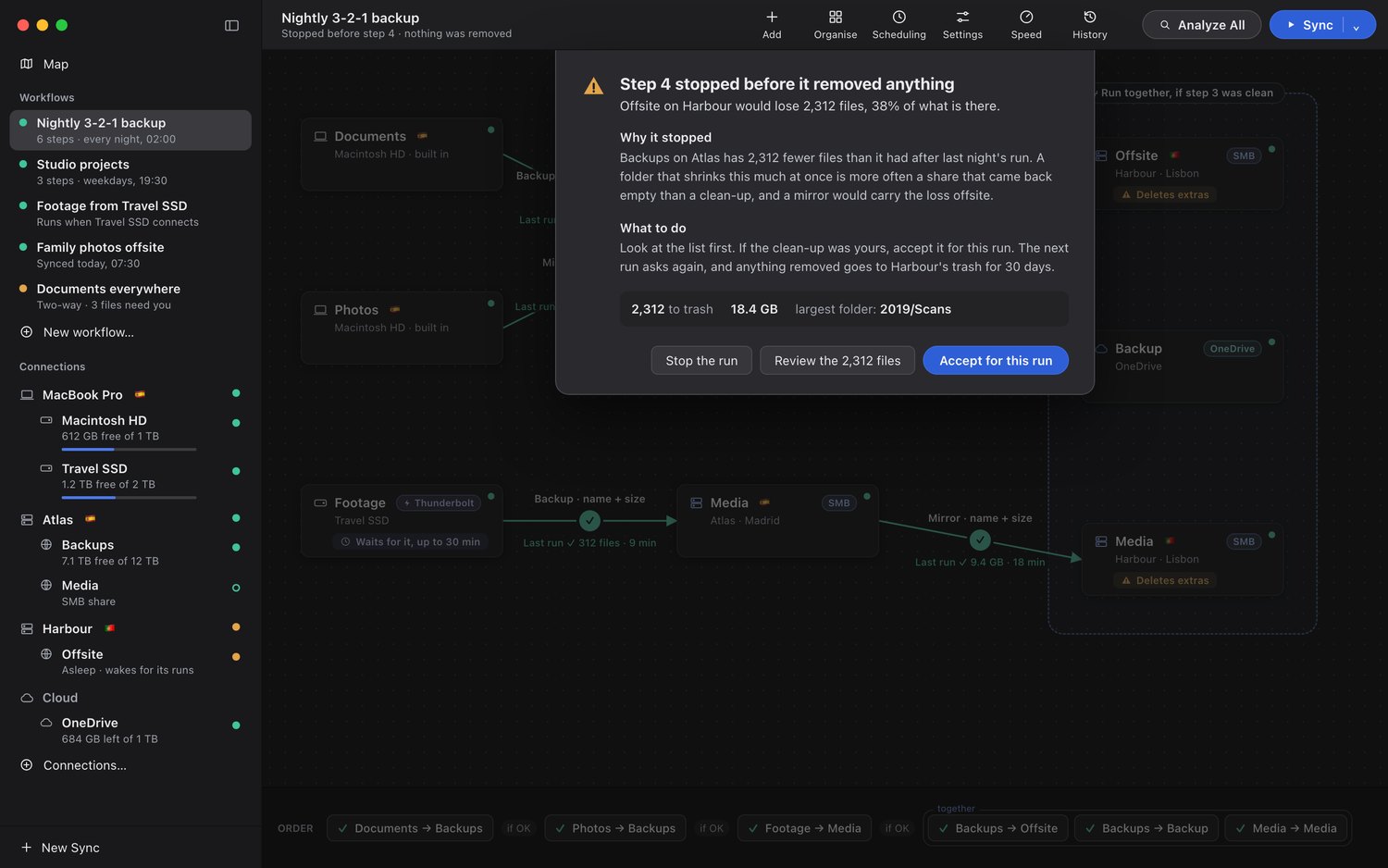
A share that mounts empty, a drive swapped for another with the same name, a mirror about to remove a third of a folder.
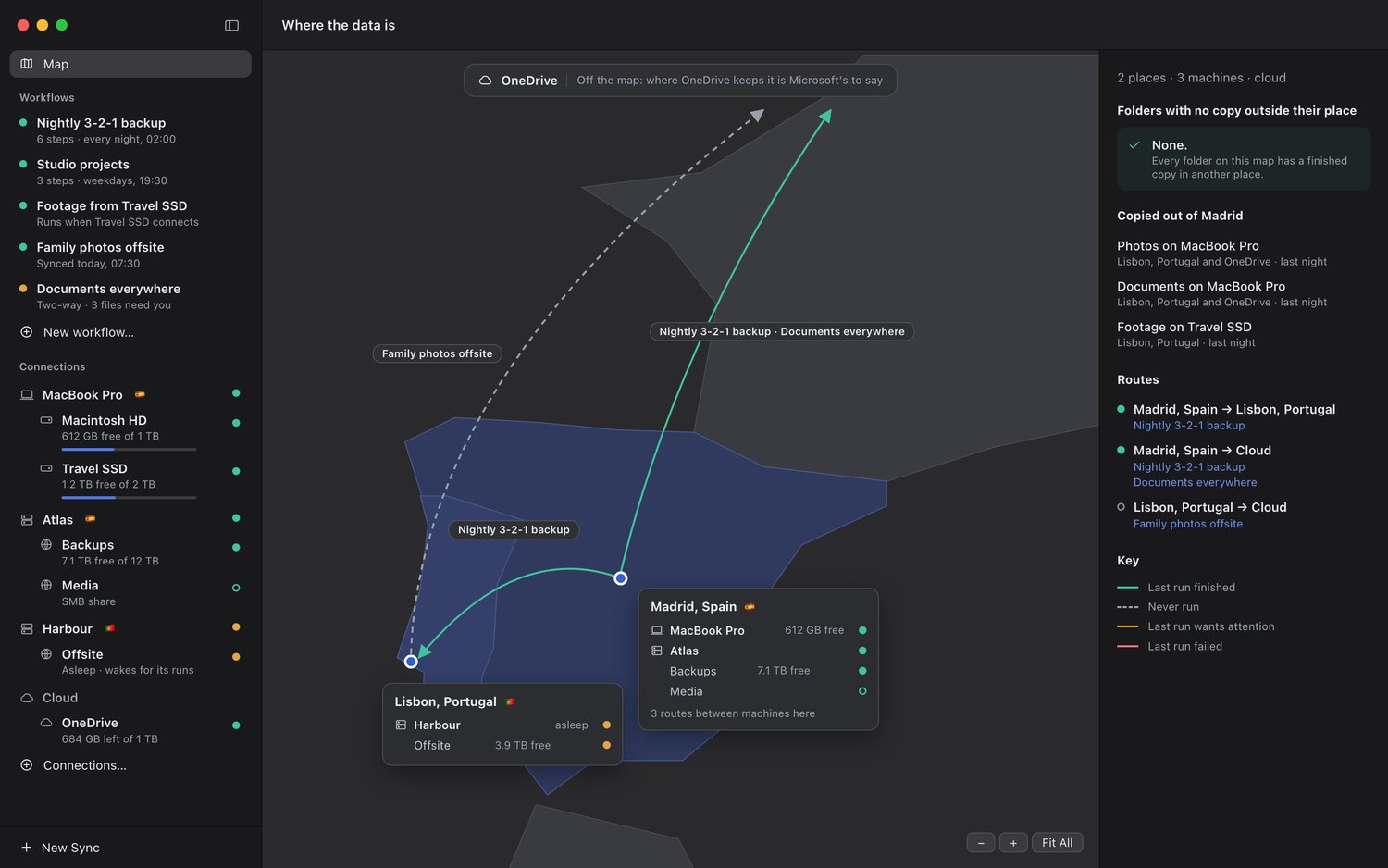
Every route between places, and every folder with no copy outside the building it is in.
One app instead of four
- Workflows you draw. Chain steps, run some together, and gate the rest on the ones before.
- Look before it copies. Analyse first and read one table of what will change. Conflicts explain themselves, identical folders roll up, and you can change any row’s mind with a click.
- Nothing is deleted outright. Every removal goes to a trash — the Mac’s Trash, the share’s recycle bin, or the app’s own — kept for as long as you choose. There is no permanent delete.
- Wakes the machines it needs. A NAS that sleeps at night is fine: a workflow can wake the machines its folders live on, wait until their shares are ready, and note which ones it woke.
Before anything moves
The review table lines up both sides by path, so a file on one side only shows an empty cell on the other. Changes only, by default — thousands of identical files collapse into one quiet line. Conflicts are written in plain words: “Both copies changed since the last run. The copy on Atlas is newer, and smaller.” The buttons are named after your machines, never “left” and “right”.
Everything it can reach, from one window
- This Mac and its drives. Internal disk, USB, Thunderbolt and NVMe, recognised by the drive itself rather than just its name.
- Network shares. SMB on any NAS, Mac or PC. Mounted when a run needs them and put away after.
- OneDrive. Personal OneDrive through Microsoft’s own sign-in, with incremental changes and resumable uploads.
- Photos. Your Photos library as a source — a year, a month, or all of it, copied out as files.
Built natively for the Mac with Apple’s own frameworks, and no third-party code inside.
The name
In Asturian folklore the trasgu is the house goblin who gets the chores done overnight.