 Trasgu Sync
Coming to macOS
Trasgu Sync
Coming to macOS
Trasgu Sync
Coming to macOS
Trasgu Sync
Coming to macOS
Folders are cards. Arrows are steps. The strip underneath says in what order they run. A single sync is a workflow with one arrow, so there is one way to build everything.
Three copies of everything, on two kinds of storage, with one copy in another city. Here is how that looks when a small studio in Madrid builds it.
The original on the MacBook Pro or the Travel SSD, a copy on Atlas, the NAS in the office, and a copy offsite.
Disks in the office, and a cloud account that is nowhere near them.
Harbour, a second NAS in Lisbon, gets a mirror of the backups every night. OneDrive gets the documents too.
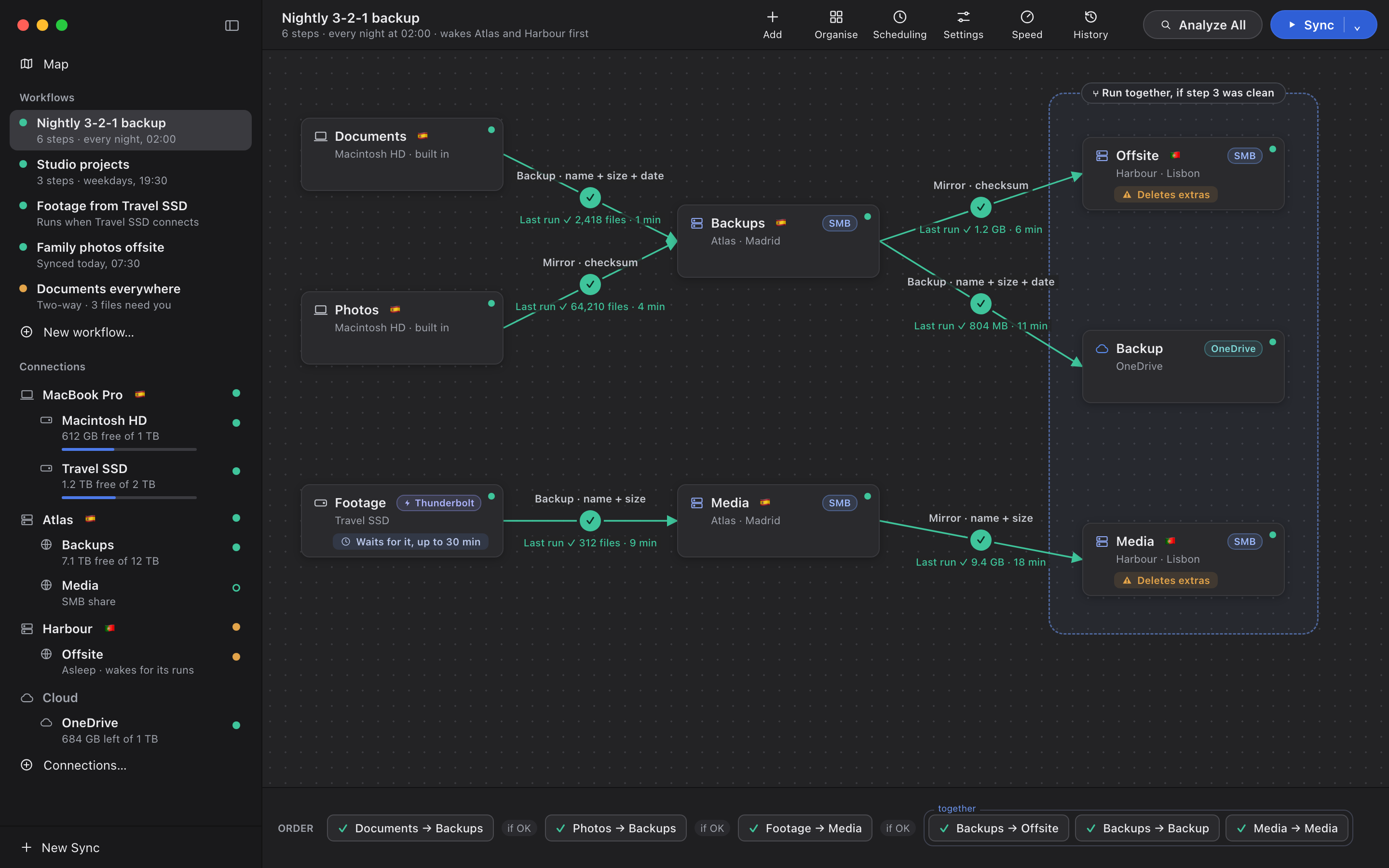
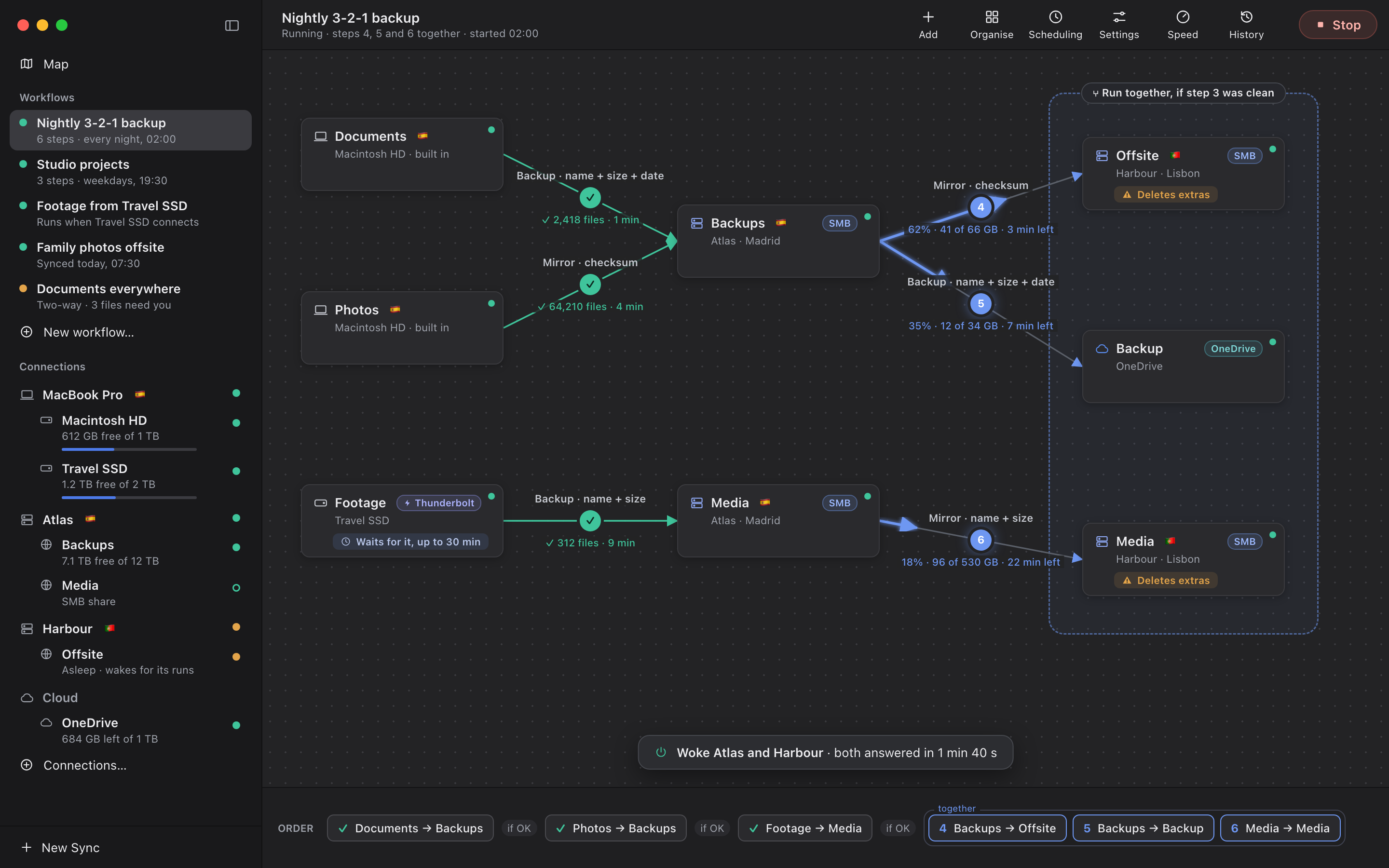
The order strip is the truth about when each step runs, whatever shape the picture has. Gates between the chips decide what a problem upstream means downstream.
Backup: copies new and changed files and never deletes. Compared by name, size and date.
Mirror, compared by checksum, so a photo that rots quietly on one disk is caught.
Waits up to 30 minutes for the drive to be plugged in, then backs it up.
Mirror to Lisbon. The card says "Deletes extras", so nobody forgets what a mirror does.
Backup to the cloud: the second kind of storage.
The big one: footage offsite, mirrored by name and size.
No separate progress window to hunt for. The canvas fills in as the night goes: green for finished, blue and filling for running, dashed for skipped by a gate.
Every night at 02:00, or weekdays at 19:30 and Saturdays at noon, in one workflow. A Mac that was asleep at the time runs it when it wakes.
"Footage from Travel SSD" runs the moment that particular drive is plugged in, recognised by the drive and not just its name.
Analyze All to see what every step would do, then Sync. Or stop at each step and read the table before it goes.
What ran last night, what runs next, and a Run Now for each workflow, without opening the window. It can start at login.
Export a workflow, keep it with your notes or send it to another Mac, and import it there. The command line runs the same workflows the app does.
Next: the guards that stop a run before a mistake becomes a loss.
How it keeps files safe