 Trasgu Sync
Coming to macOS
Trasgu Sync
Coming to macOS
Trasgu Sync
Coming to macOS
Trasgu Sync
Coming to macOS
The worst thing a backup tool can do is copy an empty folder over a full one, faithfully, to every copy you own. Trasgu Sync is built around not doing that.
Before a step writes anything, its plan is checked. When something looks like an accident rather than a decision, the run stops with what happened, why that is suspicious, and what to do.
A large clean-up can be accepted once, for that run only, after reading it. Nothing is written down, so the next run asks again.
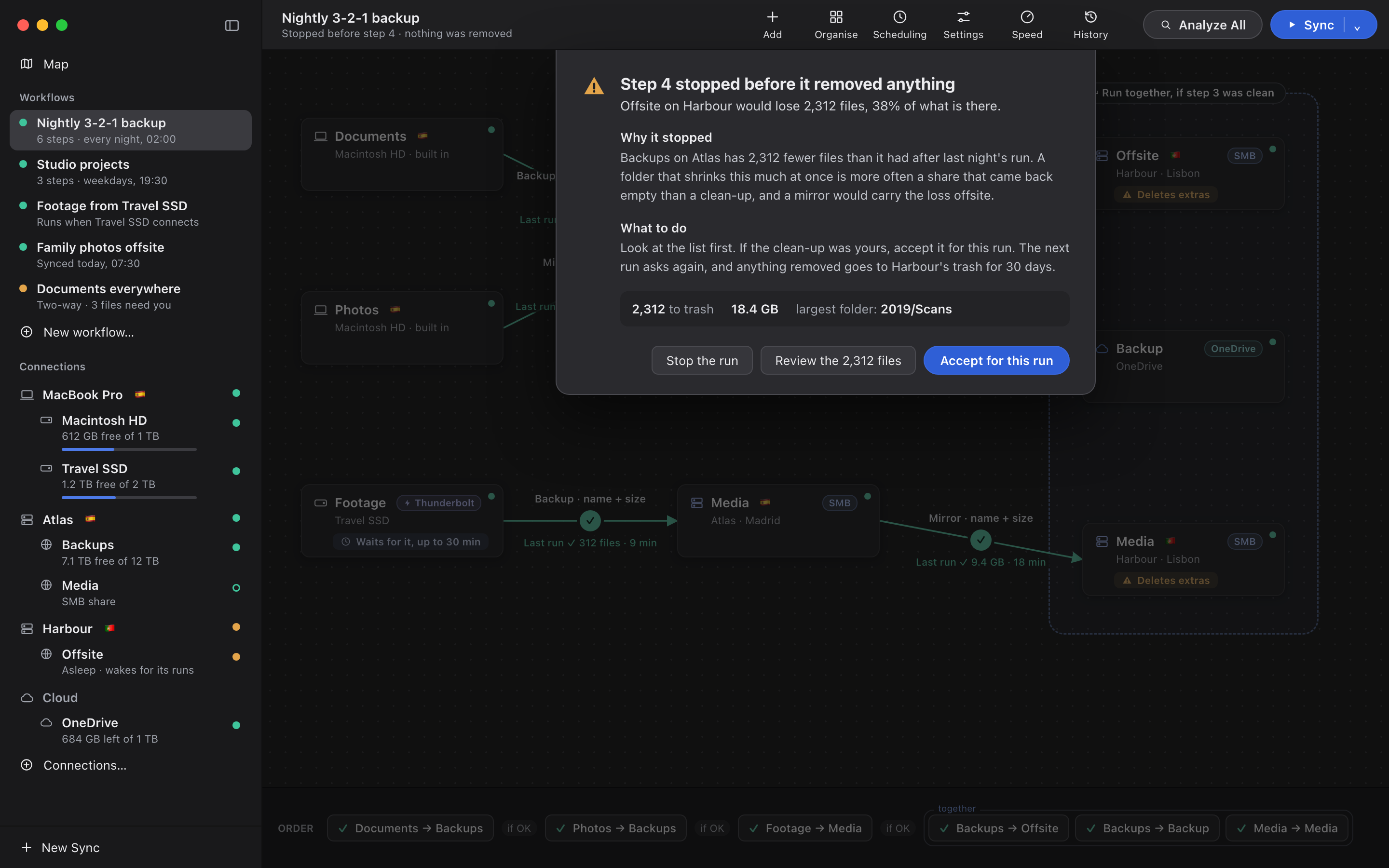
Only the mass-change guard can be accepted, and only once. The other three stop every time.
A step that would remove or replace an unusual share of a folder stops for you to read. Accept it for this run if the clean-up was yours.
A share that mounted with nothing in it looks exactly like a folder someone emptied. It never gets mirrored anywhere.
Drives are recognised by the drive itself. Another disk called "Backup" is not your backup disk, and a mirror onto it does not start.
A step that cannot fit stops before it starts, instead of filling a disk halfway through the night.
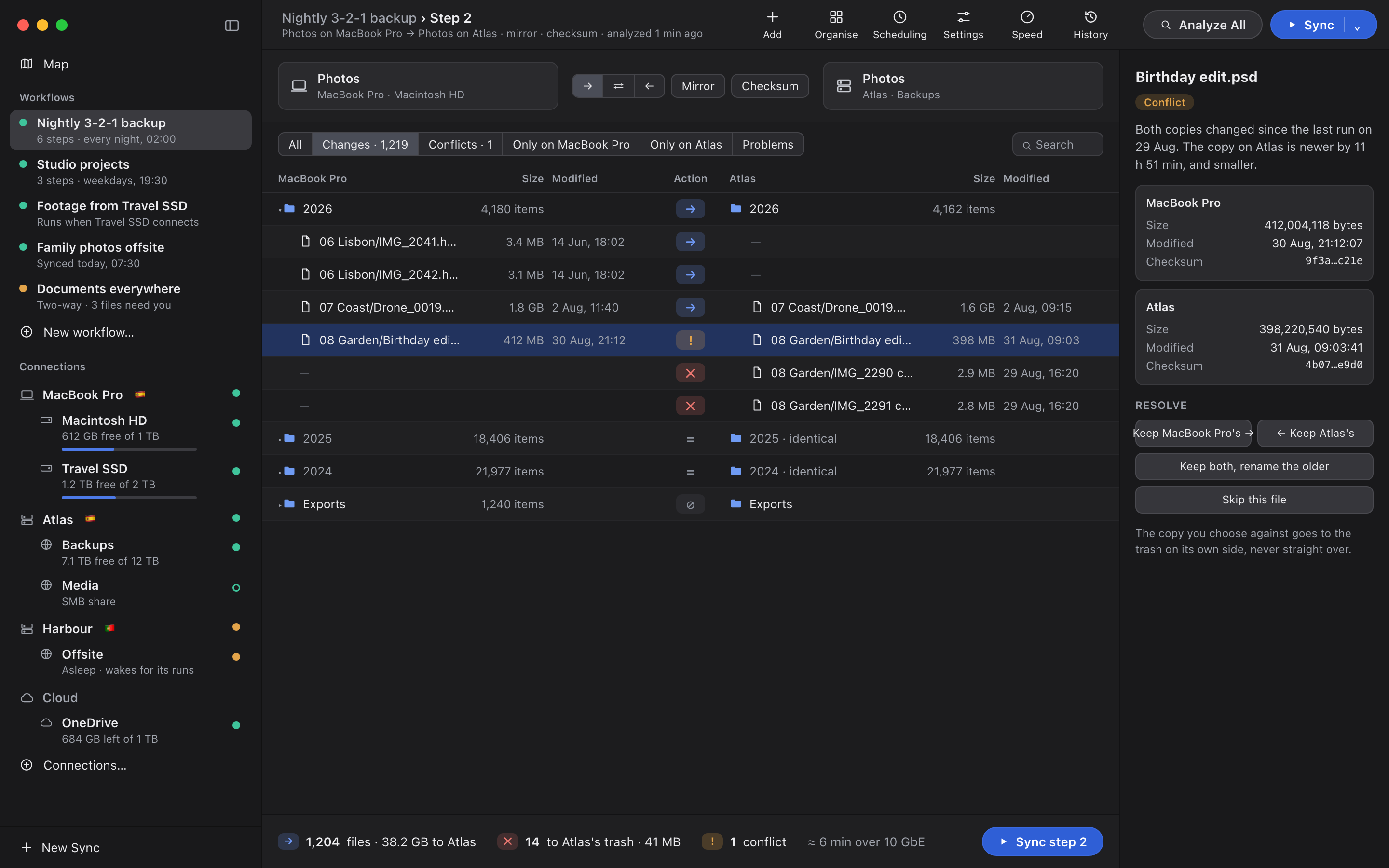
Analyze is free and writes nothing. It gives you one table for each step, both sides aligned by path, so you can see exactly what a run would do.
The Mac's Trash, the share's recycle bin, or a trash folder on the drive, kept for as long as you set. You can see and restore what each workflow put there.
Compare by name, by size, by date, or by content. Verify each copy after writing it for the folders you cannot afford to get wrong.
Never a bare code. Every problem says what happened, why, and the fix, using the names of your own machines.
Next: everything Trasgu Sync can connect to, and the map of where your copies are.
See connections