 Trasgu Sync
Coming to macOS
Trasgu Sync
Coming to macOS
Trasgu Sync
Coming to macOS
Trasgu Sync
Coming to macOS
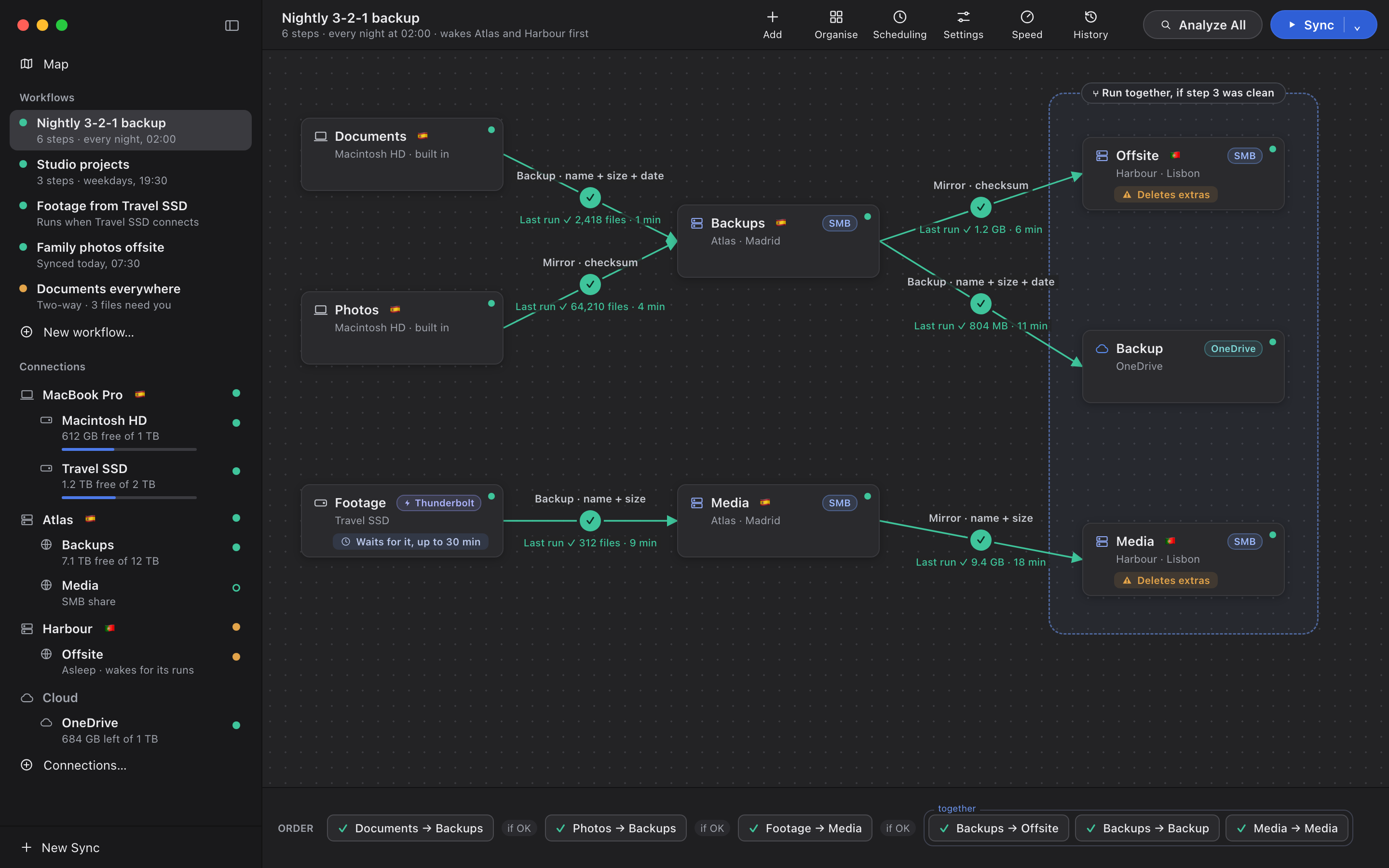
The sidebar lists the machines your folders live on, with their drives and shares underneath, and one dot each that tells you whether they are ready.
The built-in disk and every external drive: USB, Thunderbolt, NVMe, SD card. Each card says which, because a folder on a drive that can be unplugged is worth knowing about before you mirror onto it.
Any NAS, Mac or Windows PC. Passwords live in the Keychain. Shares mount when a run needs them, and the app can ask a server what it shares.
Signed in with Microsoft's own page, so the app never sees your password. Only what changed is fetched, large files upload in resumable pieces, and file names are checked before they are sent.
Talking to a Synology directly, with two-factor codes and recycle bins, is next. Until then a Synology works well over SMB.
Add a share and its machine is added with it. Give that machine its hardware address and any workflow that needs it can wake it first.
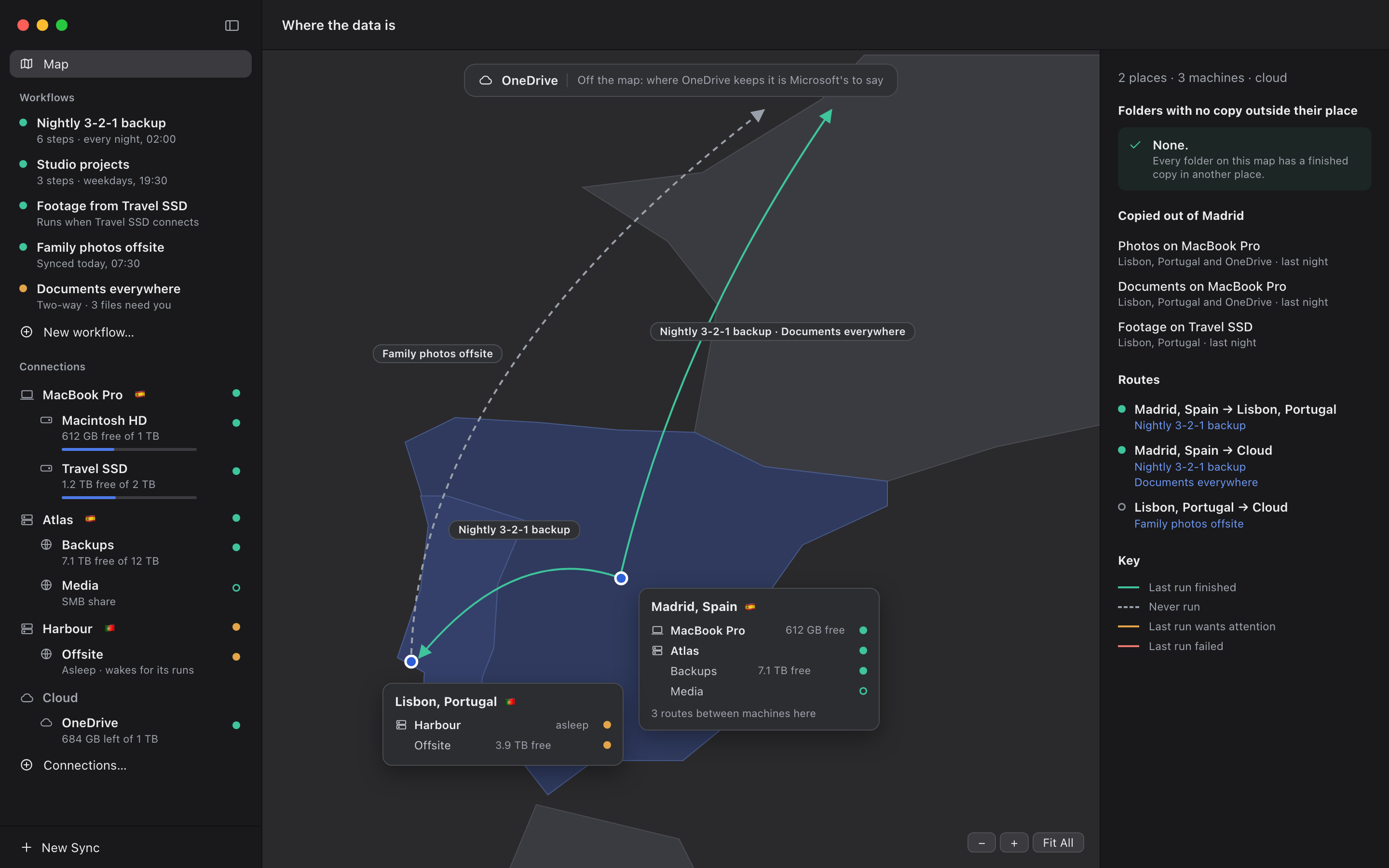
Tell the app which town each machine is in. The map draws your routes between places and lists, worst first, every folder with no finished copy outside its place.
trasgu runs the same engine and the same workflows. Analyze is read-only, so it is safe to point at anything to see what a sync would do.
$ trasgu analyze ~/Photos /Volumes/Travel\ SSD/Photos
Photos on MacBook Pro → Photos on Travel SSD · backup · name + size + date
  → 1,204 files to copy     38.2 GB
  ! 1 conflict             08 Garden/Birthday edit.psd
  = 40,383 identical        rolled up
Nothing was written.

$ trasgu devices wake Harbour
Harbour answered after 1 min 12 s.