Perlaswift-implementerWorking
“Run: swift build”
 Paws
Paws
Paws is a Mac menu-bar app that shows what Claude Code's sub-agents are doing as a pack of animated dogs. Each agent is a dog. It wags while it works, comes back with its report, and falls asleep.
Beta: it works, but things may still change. Paws is not a public download — get in touch if you would like to try it.
How it works
Paws does not watch your screen or your conversations. A companion plugin in Claude Code writes down which sub-agents are running and what they report. Paws reads that and draws the dogs.
Desktop app or terminal. When it sends a sub-agent out, that agent gets a breed and a name.
One JSON file per session, at most four writes a second, in a folder only you can read.
The app watches that folder and nothing else under ~/.claude. It only reads.
Out, waiting, back with a report, asleep. The menu bar keeps the count.
~/.claude/paws/live/<session>.json
~/.claude/paws/live/latest.json
/paws status
Paws: 2 out · 1 back
Meet the pack
Every session's main thread is Pelayo the Border Collie. Sub-agents get a breed from what they do, and the first free name of that breed. The same kind of agent is the same kind of dog every time.
A number only shows up when more dogs of one breed are out at once than the breed has names, so you get “Sunny 2” only with four goldens out together. Agents you named yourself keep their name.
The four statuses
Each dog wears a coloured ring and a label. The colour is the quick answer. The word says the same thing, so nothing depends on colour alone.
Out in the yard on its task. The bubble shows the tool it is using right now.
Waiting on a shell command. It keeps its place, so the cards do not shuffle.
Returned with a report. The first line of it is in the bubble, and you get a notification.
Asleep 20 seconds after coming back, in a muted colour.
A dog that has napped for 10 minutes folds away into the Earlier list, one line per job, so the yard stays about the dogs that are doing something.
Screens
These are renders from the app itself. Open the panel with ⌥⌘P and the big window with ⌥⌘B. The menu bar reads “3 out · 1 back” while you work.
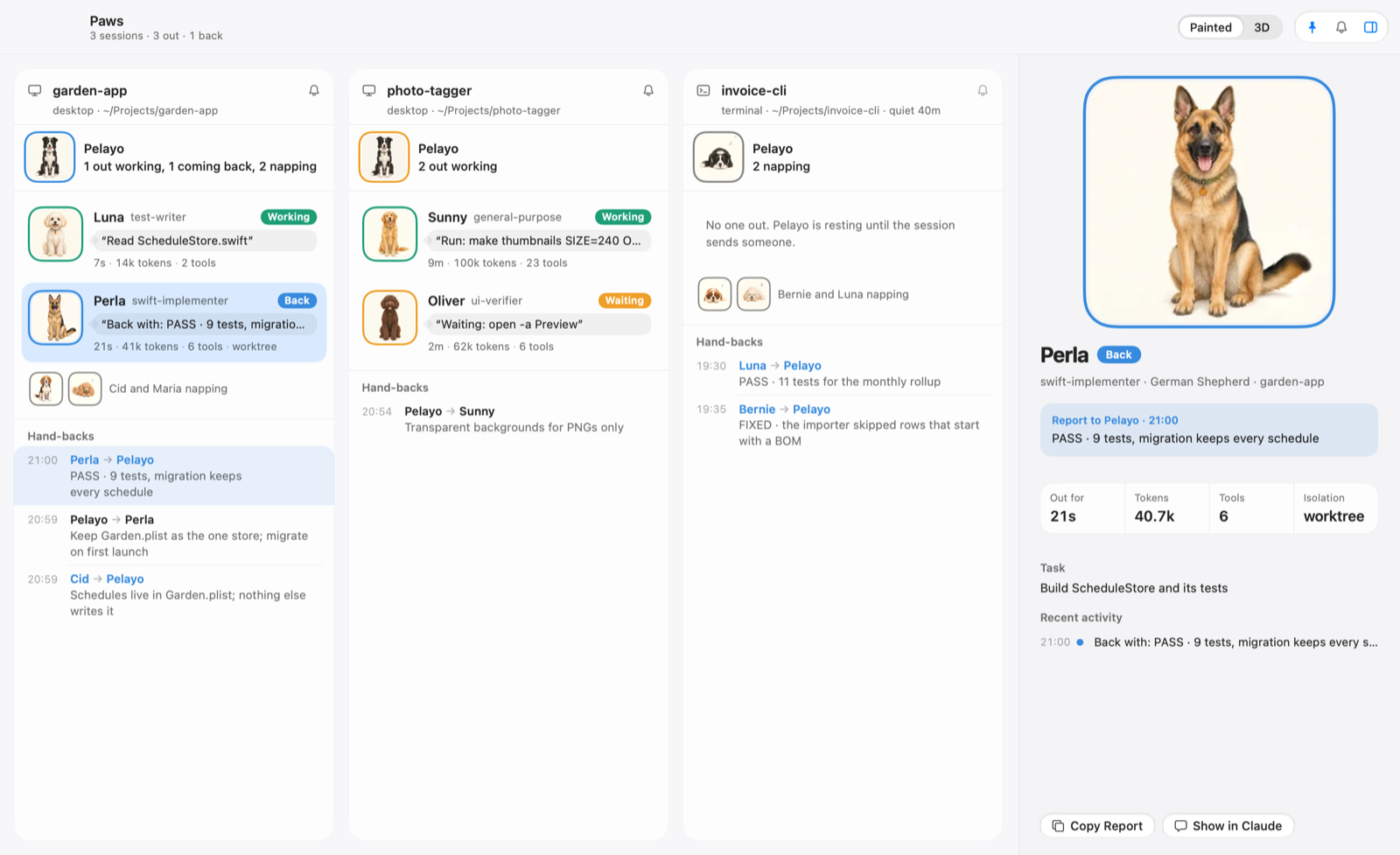
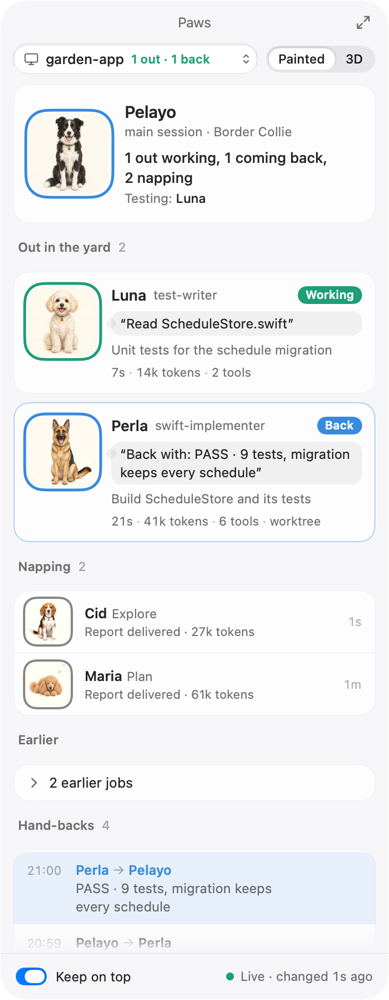
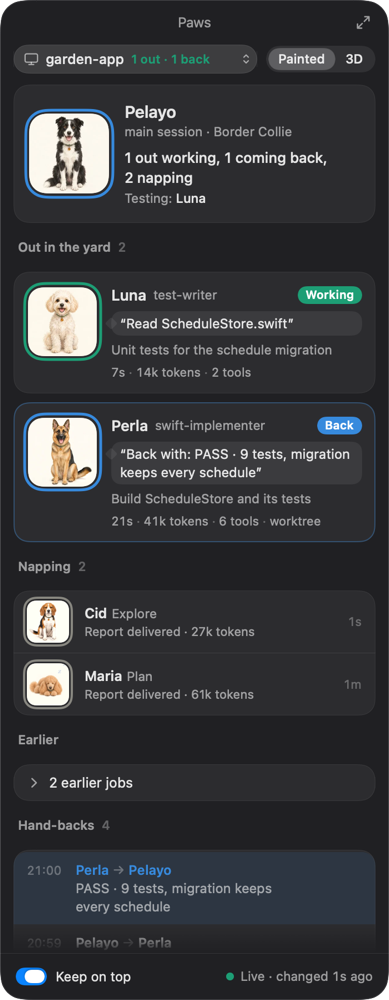
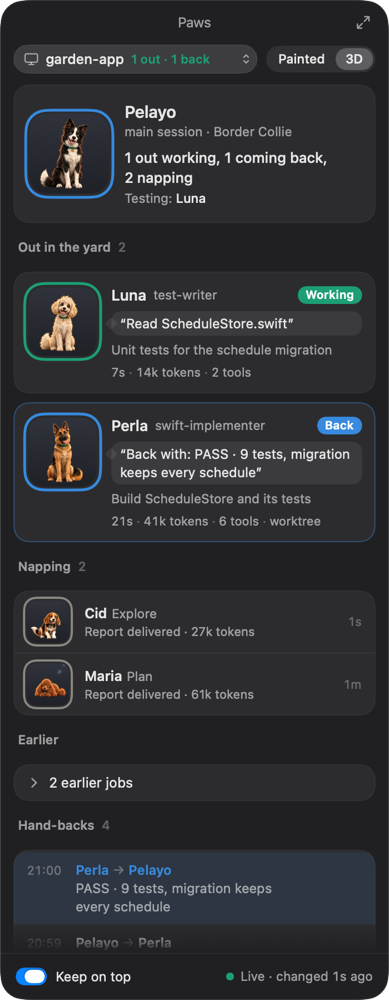
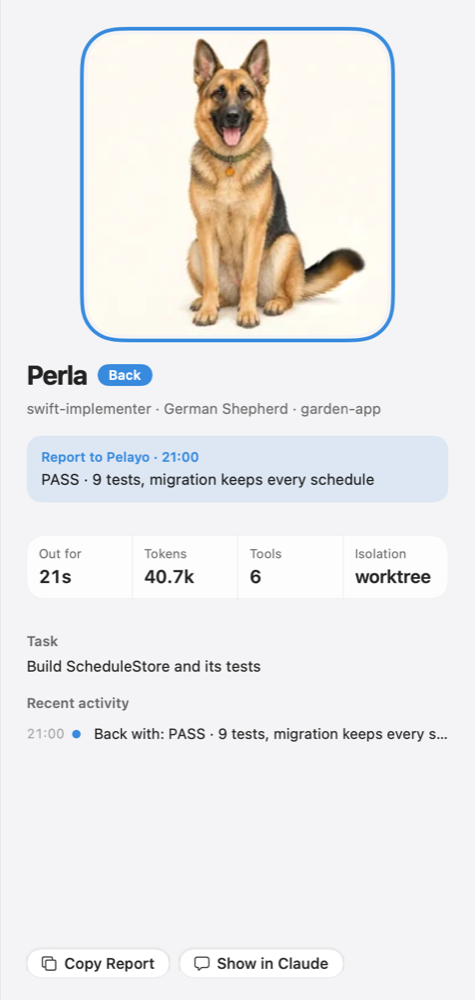
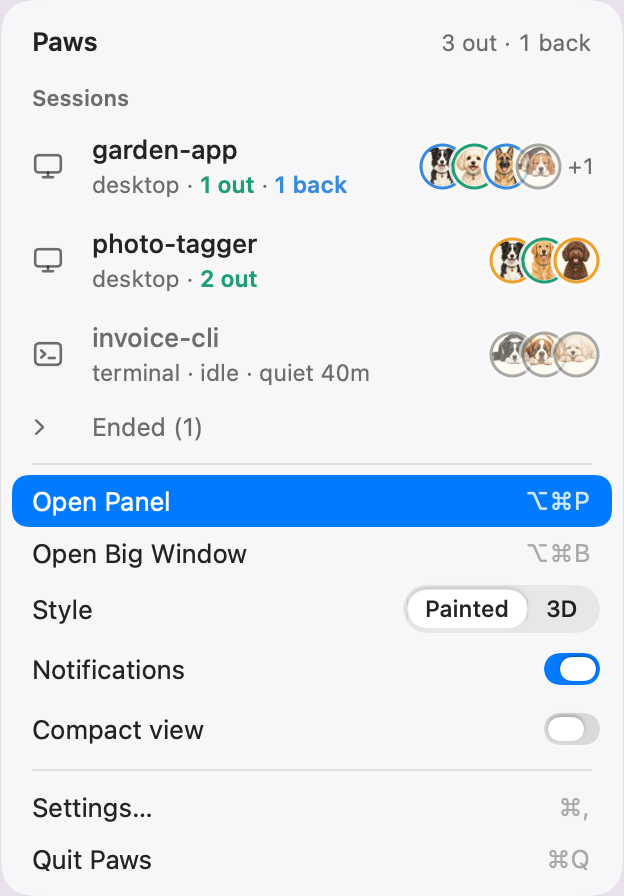
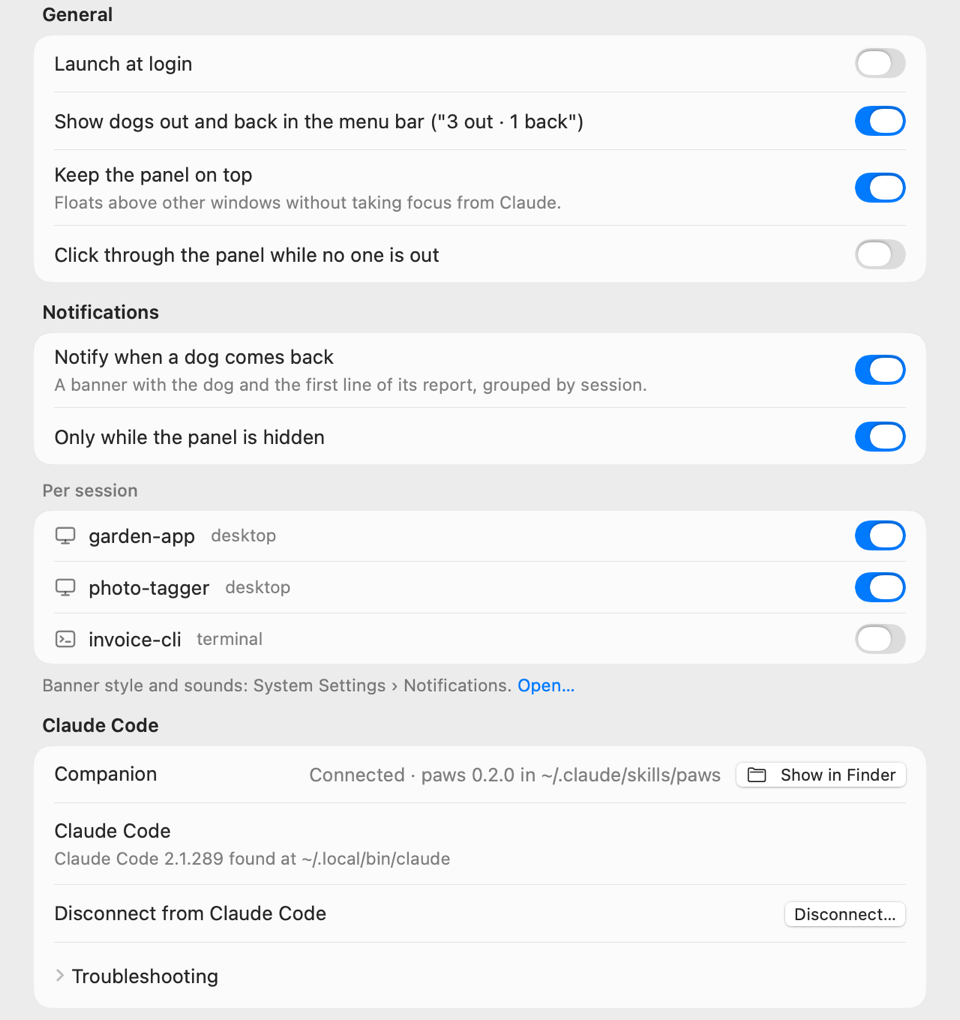

The banner shows the dog and the first line of its report. By default it only appears while the panel is hidden, and you can switch it on or off for each session.
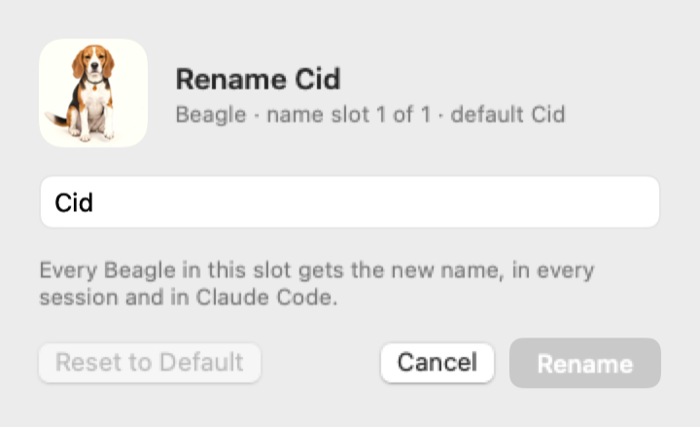
Rename your dogs
Each breed has its default names. Type a different one in Settings and the dog has it from then on.
Paws keeps the names in a small file, and the companion reads it, so the new name also shows up inside Claude Code.
~/.claude/paws/names.json
Privacy
Paws is local. The facts are short enough to list.
It reads the small files in ~/.claude/paws/live/ and the names file. It never opens your transcripts, your sessions or your settings.
No outgoing connections and no listening sockets. The companion has no network code either.
No tracking, no account, no telemetry. Nothing about your work leaves your Mac.
Snapshot files are private to you. Paws writes only the names file, and installs the companion when you press Connect.
Access
Paws is not a public download. If you would like to try it, get in touch. Installing it then takes three steps, and Paws installs its companion plugin for you, after you say yes.
Double-click it.
Then eject the disk.
On first launch, press Connect. Paws shows what it will write before it does. Then start a new session and type /paws status.
Beta. It works, but things may still change.